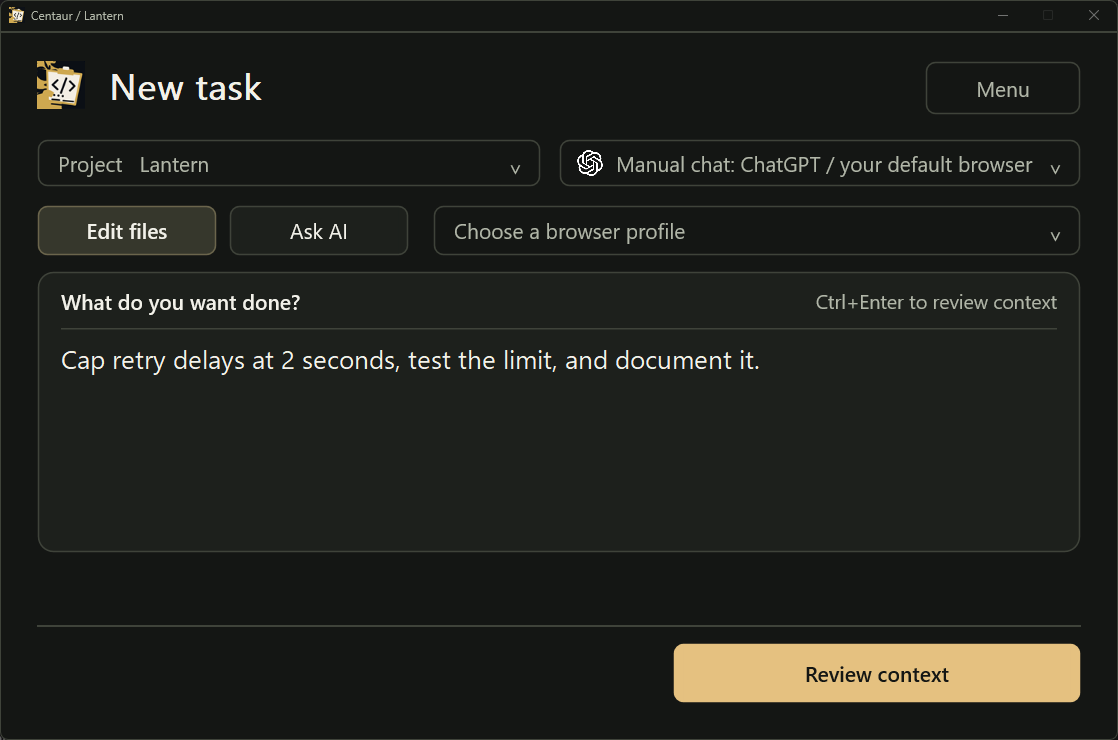
Write the task
Ask for the new delay limit, a test, and a README update.
Get a second opinion on a bug or ask for a focused fix in the AI chat you already use. Centaur gathers the relevant files into one request. You choose what to share and review proposed changes in your repo.
Windows app. CLI for macOS, Linux, and Windows.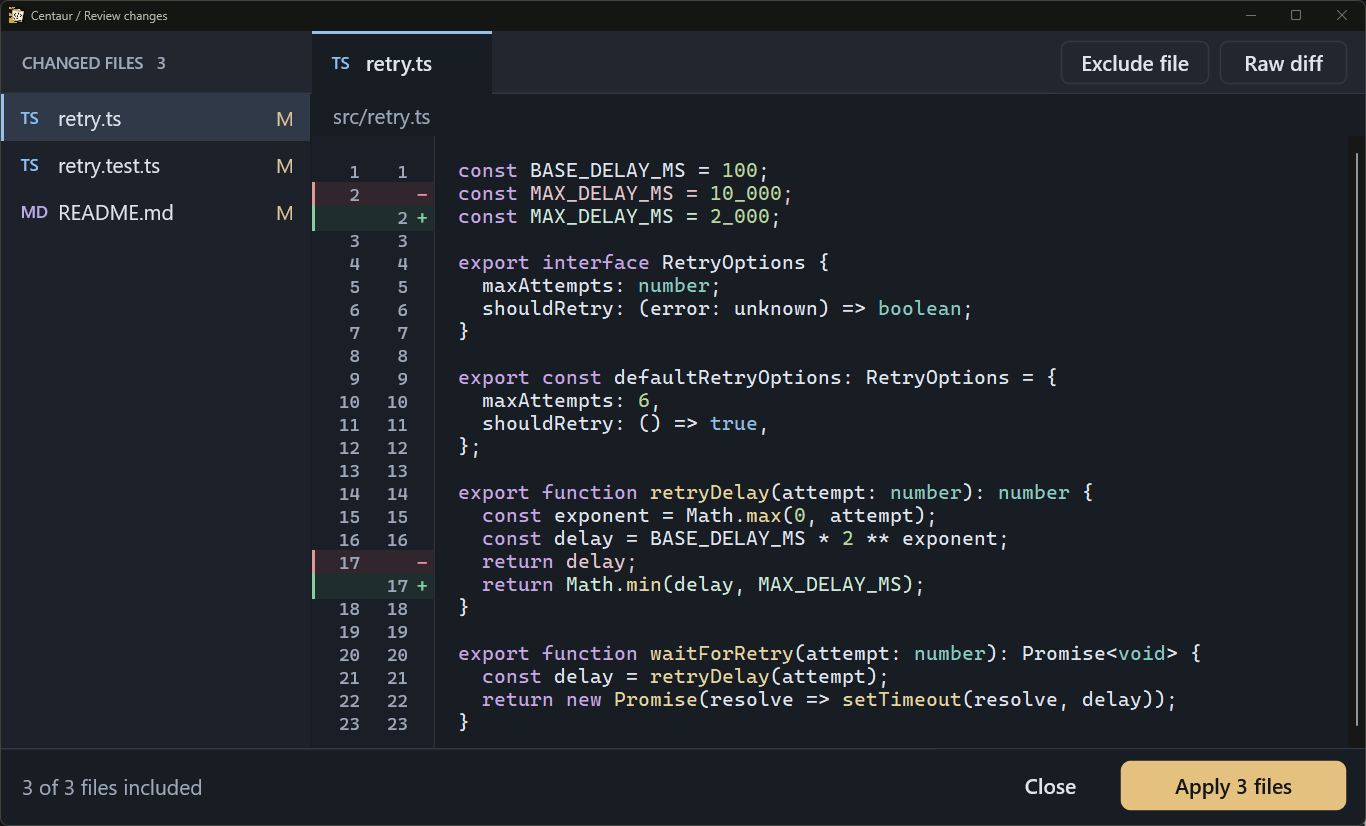
src/retry.ts in the Windows development build.Full-size imageThe example above changes the retry function in Lantern, a sample TypeScript project. Here's the task and the context prepared for it.
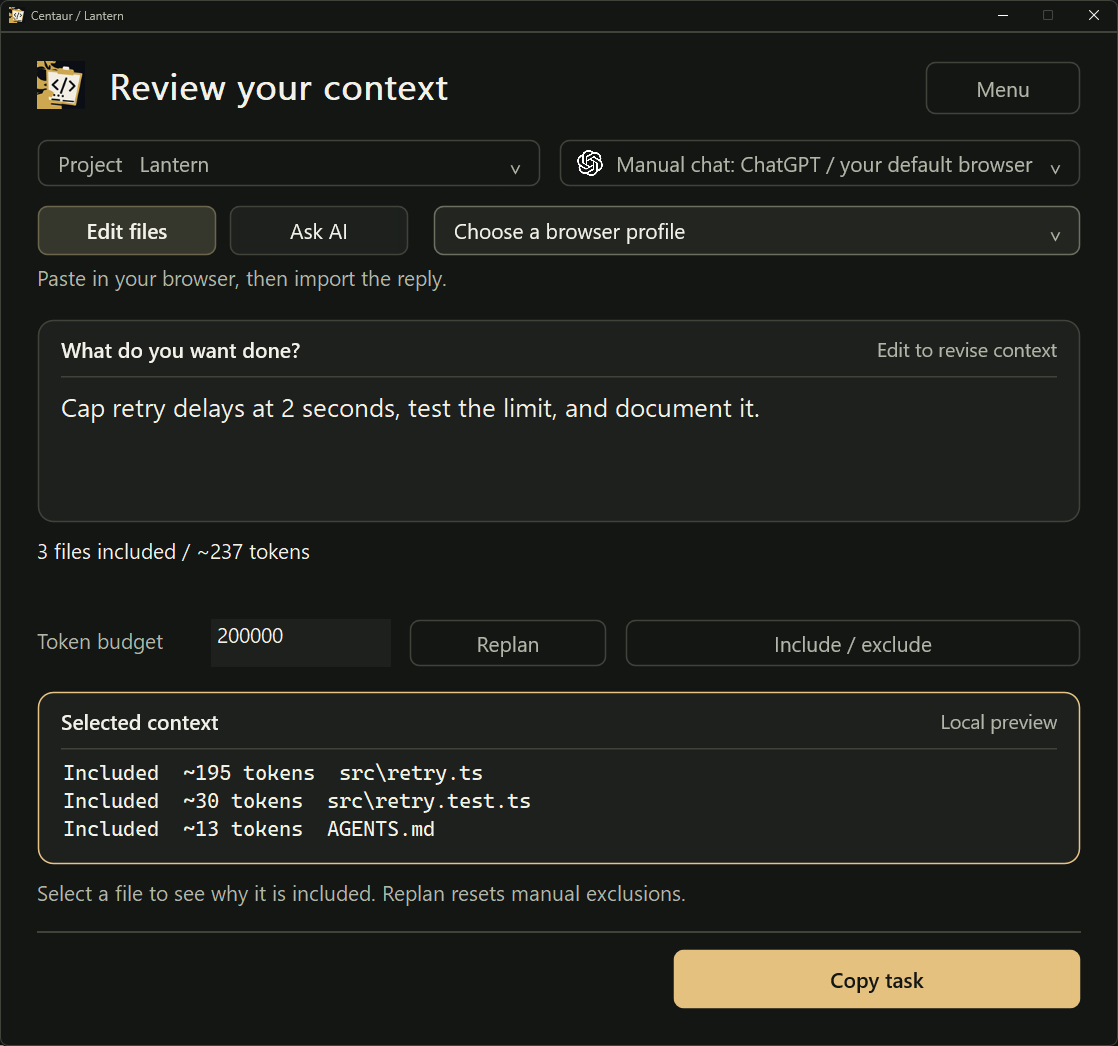
Ask for the new delay limit, a test, and a README update.
Inspect retry.ts, its test, and AGENTS.md before sending.
The proposed patch touches the function, its test, and the README. Review the changes per file and apply the ones you approve. Centaur keeps an undo snapshot.
Back to the diffCentaur selects relevant project files so you don't have to gather and paste them one by one.
Illustration of the Windows desktop Run & capture route, not a recording or exact UI capture. Automatic browser send and return still need end-to-end live verification; manual mode requires your paste and Send. Current setup and limits. ChatGPT and its logo belong to OpenAI; no affiliation.
ChatGPT and Gemini have built-in send and capture. For other web chats, teach Centaur the page controls or paste the prepared task yourself.
Set up a provider ChatGPT
 Gemini
 Claude
 Qwen
 Kimi
 DeepSeek
 Z.ai
 Doubao
 MiniMax
 Grok
 Mistral
 Perplexity
 Qwen via Ollama
The provider receives the request and files you choose to send. Centaur can mask likely secrets in the outgoing copy while leaving your local files unchanged.
How context review and undo work Context reviewInteractive example
tiny-store / local project
Select a file to inspect the prepared copy.In the prepared copy
Fix duplicate invoices when a webhook retries.const apiKey = "[REDACTED]";
await createInvoice(event);Repomix packages repository context. Aider's web-chat workflow uses an editor model to apply replies. Centaur can apply a structured reply locally without another model call.
| Workflow | Centaur | Repomix | Aider web-chat mode |
|---|---|---|---|
| Use an existing web AI plan | ✓ YesSupported destinations | ✓ YesUpload the packed file | ✓ YesCopy-and-paste mode |
| Choose which local files to send | ✓ YesTask-selected context | ✓ YesInclude and exclude patterns | ✓ YesAdded files and repository map |
| Check outgoing code for likely secrets | ✓ YesMask likely matches in the export | ✓ YesSecretlint scan | ~ UnspecifiedWeb-chat documentation |
| Turn a reply into local edits | ✓ YesValidate and review Search/Replace | ✕ NoApplying replies is a separate step | ✓ YesAn editor model applies the reply |
| Apply a reply without a second model call | ✓ YesLocal patch engine | ✕ NoPackages context only | ~ VariesSeparate direct-edit flags |
Repomix overview,Repomix security,Aider web-chat workflow,Aider direct-edit options
Centaur is in free public beta. Your AI provider's plan limits apply.